
Introducing Event Automations

 Ben Vinegar
Event automations are now available for all Modem users. Create them from the app or ask @Modem on Slack.
Modem has always had scheduled automations for recurring work like weekly digests or curating your ticket backlog.
But customers can surface a problematic release at any moment on Discord or Slack. And your team is shipping features throughout the day. What if you could take action immediately, instead of waiting until the next scheduled agent loop?
Enter: Event Automations. Instead of running on a clock, they run when something happens.
How Event Automations work
All Modem automations run the same Modem Agent you use in the app and in Slack.
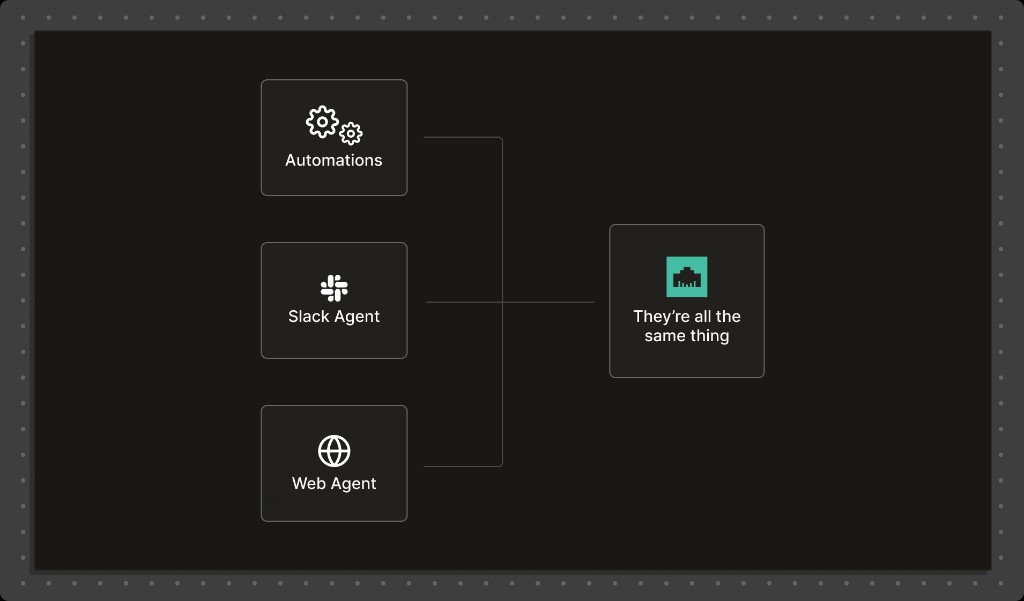
When an event fires, Modem wakes up the agent and executes your prompt. The agent has the same data and tools it has in chat:
- Modem data: topics, discussions, people, companies
- Connected tools: Slack, Linear, GitHub, Posthog, Cursor, Devin, email, and more
- The same ability to reason, summarize, and take actions
If you can ask the agent to do something in chat, you can ask an automation to do it when an event occurs.
Supported events
Today Modem can act on a handful of event triggers (with more on the way):
Topic Created
Modem discovers a new topic
Topic Priority High
A topic becomes high priority
GitHub PR Created
A pull request is opened
GitHub PR Merged
A pull request is merged
For example, you can use Topic Priority High to have Modem automatically take action when problem areas are discovered:
When a Topic becomes High Priority, create a Linear ticket with relevant context, and post an update in
#alerts.
You can use GitHub PR Merged to do follow-up work on shipped changes:
When a GitHub PR Merges a user-facing feature, find all customers that asked for this feature, and send me a report over email.
Surprise: You're already using them!
Every Modem organization includes a default event automation: "Email me for high priority topics."
If you were wondering where those emails came from, this is it. It's just an event automation!
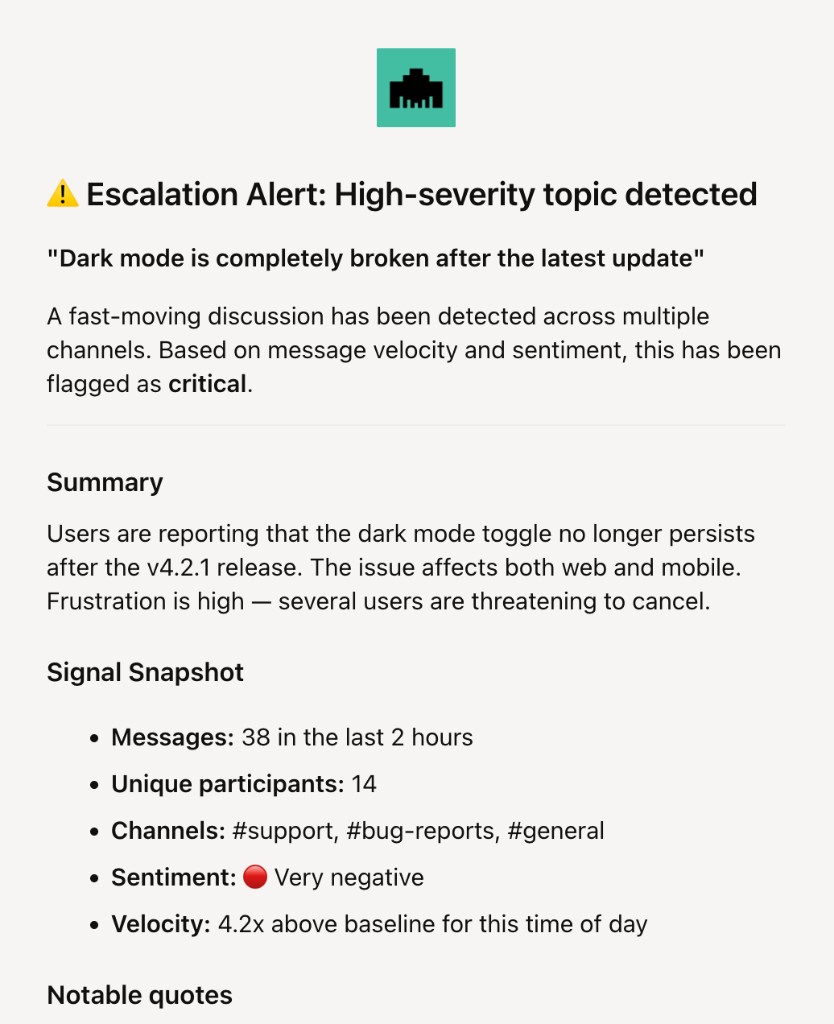
The easiest way to start with event automations is to just update this existing one. Which you can do easily by just asking Modem:
Update my existing default alert. Instead of email, send it to the #alerts Slack channel instead.
How to create a new automation
Creating an automation is easy. Just ask the agent to set one up for you!
Modem thinks for a moment, then proposes the automation with a description and options to run or skip. You can be vague ("make sure my team is informed") or specific ("create a Linear ticket with these values"); goal-oriented prompts work best.
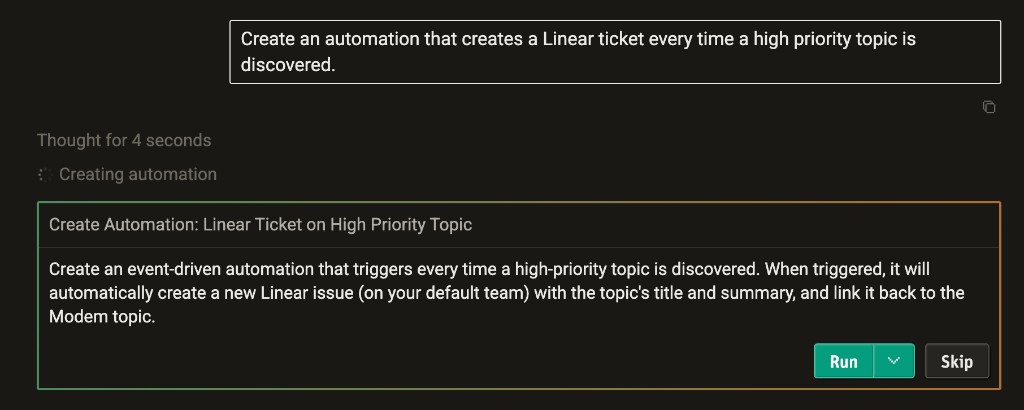
You can also create an automation by hand from the Automations page in the app. You can also review all your existing automations, turn them off/on, or change them.
Your auto-triage PM
Event Automations turn Modem into a reactive layer: the same agent you use in chat can now run automatically when topics are created, when priority spikes, or when PRs are opened or merged. You get the same context and tools - Slack, Linear, GitHub, and the rest - without having to remember to ask.
The manual version is a weekly session someone has to remember to run. How to run a feedback triage process describes the 30-minute version.
If you are already using Modem, you already have an event automation running: "Email me on High Priority Topics". Take a moment and consider how other event automations can power workflows for your organization to give you increased visibility, stay organized, and act faster.