
Modem now talks to PostHog

 Mike Clarke
The PostHog integration is now available for all Modem users. Connect it from Settings → Integrations or ask @Modem to help you set it up.
Modem already connects to many tools your team uses every day: Slack, Linear, GitHub, and more. But product analytics lived in a separate tab — you'd context-switch to PostHog, build the right query, and bring the numbers back yourself.
Now Modem can do that for you.
Get answers from PostHog using plain english
Connect your PostHog instance and the Modem agent gains direct access to your product analytics, feature flags, and A/B experiments. Modem queries PostHog in real time using its API.
Here's what the agent can pull:
- Product analytics: event counts, funnels, retention, and trends via HogQL
- Feature flags: current states, rollout percentages, and targeting filters
- A/B experiments: results with statistical significance
You ask questions in plain English. The agent figures out the right query and brings you the answer.

Combine analytics with Modem's topic data
We built this integration because we needed it ourselves. Here's a real example. From Slack, we asked Modem:
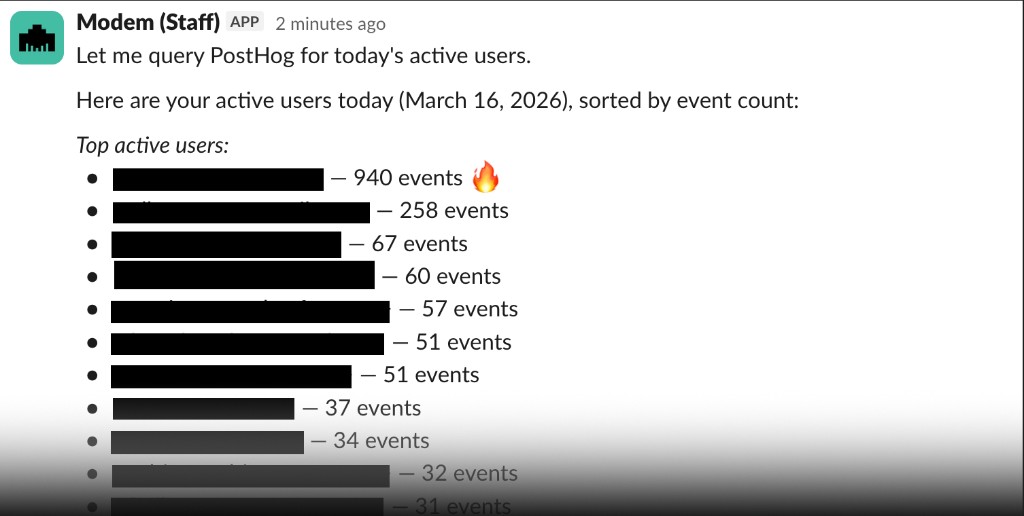
Look at PostHog and tell me who our active users were today.
The agent queried PostHog and returned a breakdown of active users.
Then we followed up:
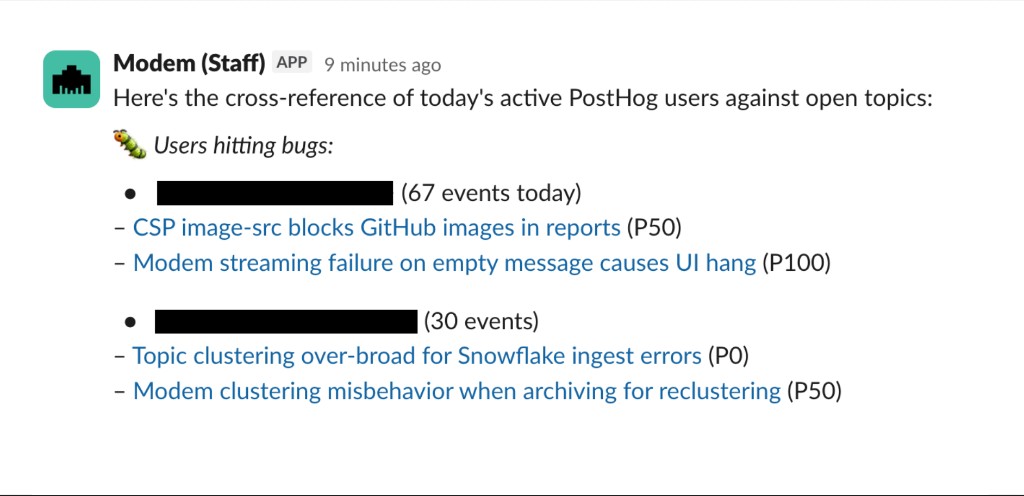
Cross-reference that with our topics. Are any of these users running into open issues?
The agent cross-referenced the active user list against our Modem topics and flagged two users who had recently hit a bug we'd already triaged. That kind of lookup — checking usage against feedback — would normally mean bouncing between two dashboards. Here it was a follow-up message.
This comes up constantly: checking how a release is performing, verifying a feature flag rollout, getting a quick read on daily active users before a standup. PostHog has the numbers; Modem has the customer context. The agent can work with both at once.
Activate PostHog for your entire team
Setup takes about a minute:
- Generate a Personal API key in PostHog (starts with
phx_) - Go to Settings → Integrations → PostHog in Modem
- Paste the key
- Click Connect
That's it. Your API key is encrypted at rest and never exposed in agent responses. You can test the connection, rotate keys, or disconnect at any time.
Once connected, try asking:
What tickets in the backlog would improve our onboarding funnel?
What are my most active customers asking for?
Are there any error spikes in the last 24 hours that correlate with recent feedback?
Since the agent can query PostHog alongside your other tools, you can ask it to correlate an error spike with recent GitHub PRs, or check whether a feature flag rollout matches the feedback you're seeing in topics.
A narrower version of that question comes up when a rage click and an open support ticket look like the same bug. Matching PostHog rage clicks to support tickets names the identifier that bridges the two systems.
Get started
If you're already using Modem and PostHog, connect the integration and start asking questions. Same agent, same chat — it just has access to your analytics now.
Check out the PostHog integration docs for the full setup guide.