
Modem now connects to Zendesk

 Ben Vinegar
The Zendesk integration is now available in beta for all Modem users. Connect it from Settings → Integrations → Zendesk.
Support conversations are where product problems show up first. A confusing onboarding step. A billing edge case. A feature request that five other customers have also asked for, but in different words.
When those conversations live only in Zendesk, the signal stays trapped in the support queue. Product teams hear about the loudest issues, but miss the pattern forming across tickets.
Now Modem can pull Zendesk into the same product context as the rest of your customer feedback.
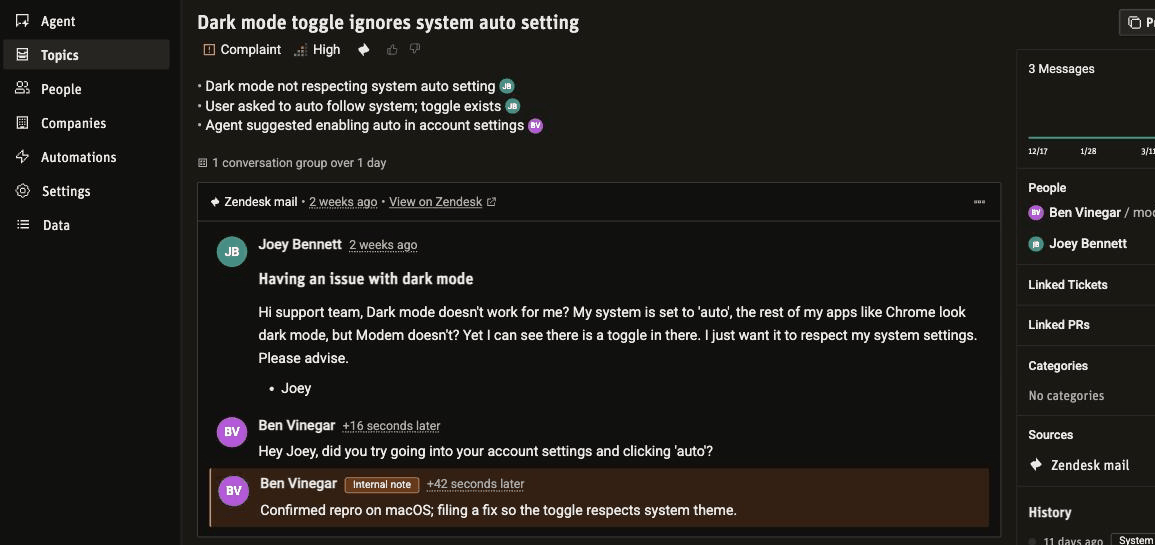
Zendesk tickets become Modem topics
Once connected, Modem registers a webhook on your Zendesk account and starts receiving new ticket activity in real time. Public replies, internal notes, and attachments flow in as they happen, along with ticket metadata: status, priority, type, tags, assignee, and channel.
That activity lands in the same topic system your team already uses to track customer feedback. A single topic can bring together a Zendesk ticket, a Slack discussion, a GitHub PR, and the Linear issue your team used to fix it.
That means support tickets do not sit off to the side. They become one more source of evidence for what customers are asking for, what is broken, and what your team should handle next.
Ask the agent about support requests
The Modem agent can search Zendesk activity alongside the rest of your connected tools. You can ask a question in plain English and get an answer that includes the relevant tickets and product context.
Try asking:
What Zendesk tickets from this week map to high-priority topics?
Which customers opened tickets about onboarding in the last 30 days?
Are there unresolved Zendesk tickets related to features we already shipped?
Or ask about a specific issue, and the agent pulls the ticket with its full context:
Are there any Zendesk tickets about dark mode? Summarize what the customer reported and how we responded.
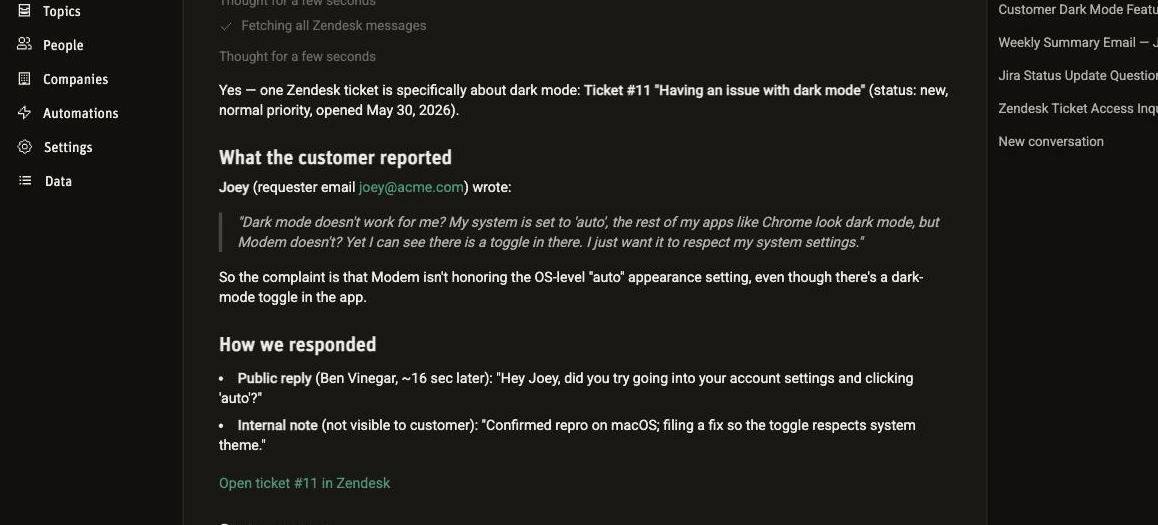
The useful part is not just search. The agent can compare Zendesk tickets with your topics, GitHub activity, Linear tickets, Slack conversations, and customer profiles. It can tell you whether a support issue is new, already tracked, already fixed, or getting worse.
Close the loop from product work
Support teams need to know when product work changes the answer for a customer.
With Zendesk connected, Modem can help find the tickets affected by a fix, draft follow-up notes, and show which customers should hear about a shipped change. When a topic is linked to Zendesk tickets, the path from customer report to product work to follow-up is visible in one place.
Without that link, the check is manual. Confirming a Zendesk feature request actually shipped traces the ticket-to-PR chain link by link, and the gap where merged stops meaning released.
By default, the agent can write back to Zendesk. It can post public replies and add internal notes, with no separate opt-in. If you'd rather keep it read-only, an org admin can turn on Disable agent writes to Zendesk in the integration settings.
Connect Zendesk in a few clicks
Setup uses OAuth, so there are no API keys to paste into Modem. You'll need admin access in both Modem and Zendesk:
- Go to Settings → Integrations → Zendesk in Modem
- Enter your Zendesk subdomain
- Click Connect with Zendesk
- Authorize Modem in the Zendesk OAuth prompt
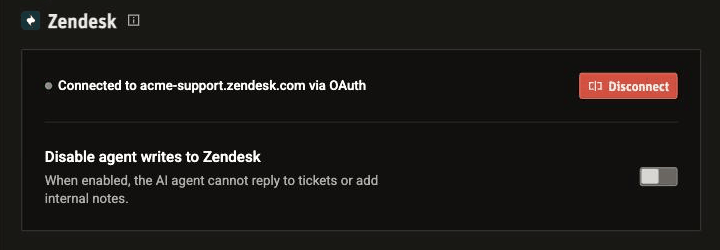
Modem captures ticket activity from the moment you connect. There is no historical backfill, so older tickets stay where they are. You can disconnect the integration at any time from the same settings page.
Get started
If your team uses Zendesk, connect the integration and start asking the agent about support requests. Same agent, same chat. It just has your Zendesk context now.
Check out the Zendesk integration docs for the full setup guide.