Modem now connects to Intercom

 Mike Clarke
The Intercom integration is now available for all Modem users. Connect it from Settings → Integrations → Intercom.
If your team uses Intercom for customer support, those conversations hold some of your most valuable product signal. Feature requests buried in a reply. Bug reports hidden inside a thread that got closed last Tuesday. Until now, getting that context into Modem meant waiting for someone to surface it manually.
Now Modem pulls it in automatically.
Intercom conversations become Modem topics
Once connected, Modem subscribes to your Intercom workspace via webhooks. New conversations, replies, internal notes, state changes, and CSAT ratings all flow into Modem in real time.
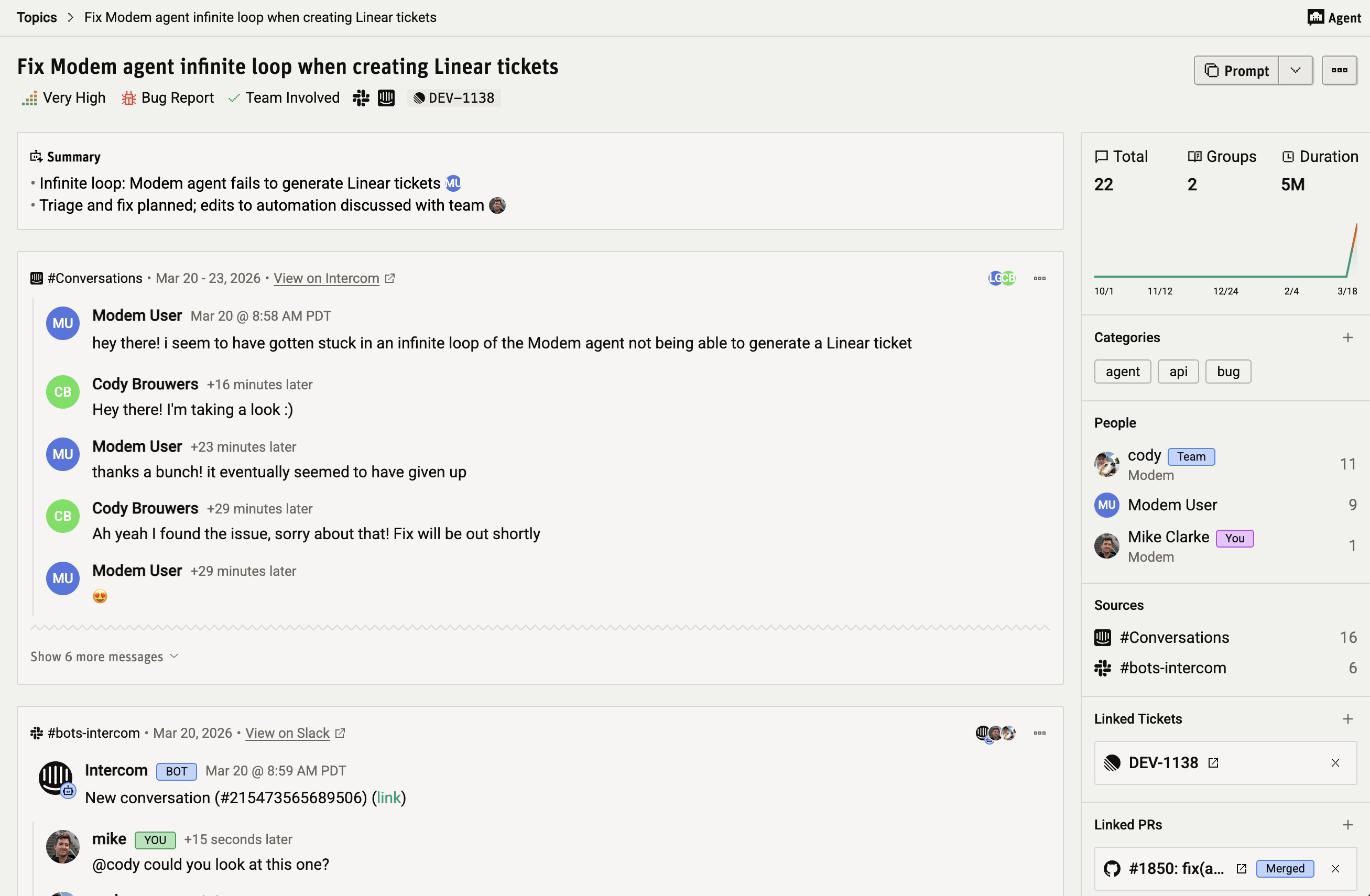
Intercom conversations get ingested into Modem's topic system alongside your Slack, Discord, and GitHub discussions. A single topic can pull together an Intercom support thread, a Slack conversation about the same issue, a linked Linear ticket, and the GitHub PR that fixed it.
Query Intercom in plain English
The agent can query Intercom's API directly to search older conversations and contacts. Here's what it has access to:
- Conversations: search by keyword, tag, contact, state, or date range. View full threads including all replies and internal notes.
- Contacts: look up customers by email or name, and match them to Modem people profiles automatically.
- Tags and assignments: see which conversations are tagged, who they're assigned to, and whether Fin handled them.
- CSAT ratings: pull satisfaction scores and customer remarks for any conversation.
You ask in plain English. The agent figures out the right API call and brings you the answer.
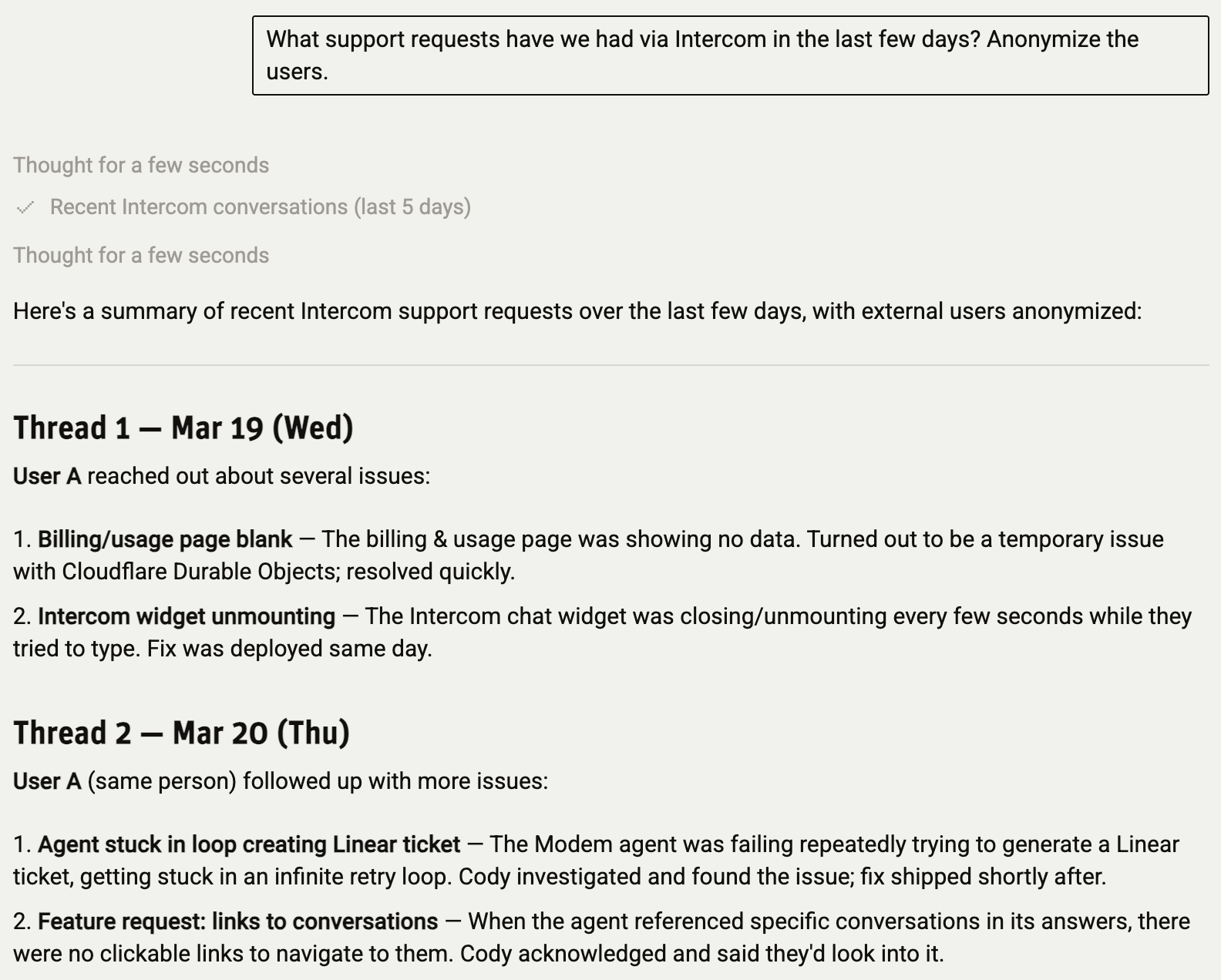
Try asking:
What are the most common issues in Intercom conversations this week? Do any match our open topics?
Find Intercom conversations from [customer name] and summarize what they've been asking about.
Are there any open Intercom conversations that relate to topics we've already fixed?
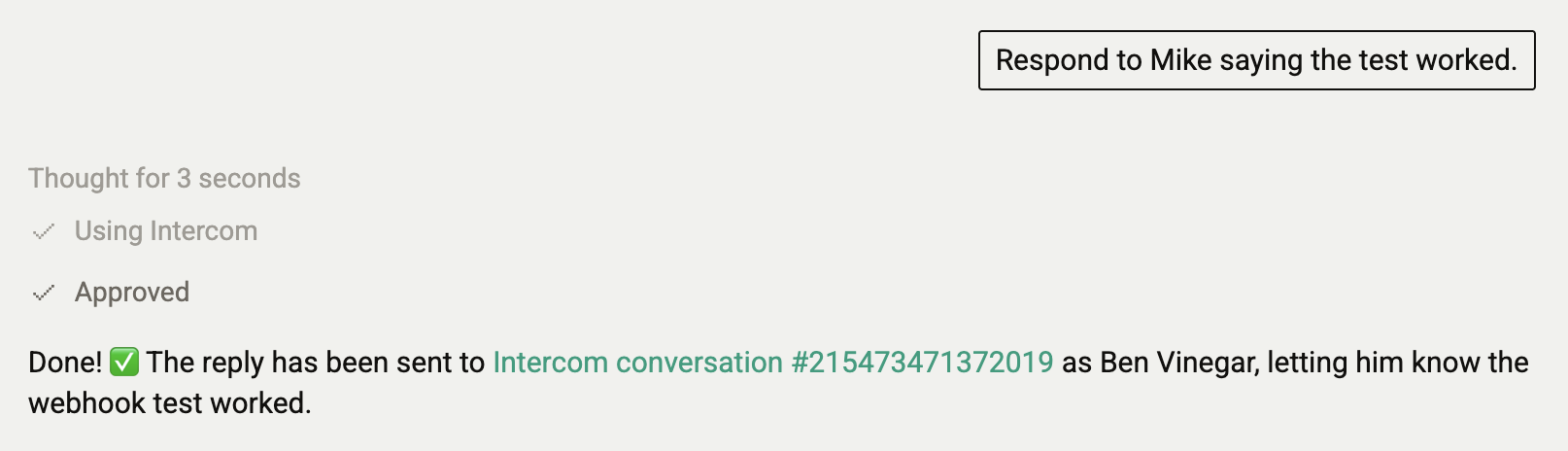
Write back to Intercom via the agent
This isn't just read access. If your org admin enables agent writes, the Modem agent can take action directly in Intercom:
- Reply to conversations with customer-visible messages
- Add internal notes for your support team
- Tag and untag conversations
- Close, reopen, snooze, or unsnooze conversations
Write access is off by default. When it's enabled, every write action requires your approval before it goes through. The agent shows you exactly what it plans to do and waits for confirmation.

To enable it, toggle Allow AI agent to write to Intercom in the integration settings. Only org admins can change this setting.
Connect Intercom in a few clicks
Setup uses OAuth, so there are no API keys to manage:
- Go to Settings → Integrations → Intercom in Modem
- Click Connect Intercom
- Authorize Modem in the Intercom OAuth prompt
- You're connected
Modem automatically backfills up to 90 days of conversation history when you first connect. After that, new conversations and updates arrive via webhooks in real time.
You can disconnect at any time from the same settings page.
Get started
If you're already using Modem and Intercom, connect the integration and start asking questions. Same agent, same chat. It just has access to your support conversations now.
Check out the Intercom integration docs for the full setup guide.
