Build Notion-powered workflows on Modem

 Mike Clarke
The Notion integration is now available for all Modem users. Connect it from Settings or ask @Modem to help you set it up.
The Modem agent does a lot of work for you: triaging feedback, summarizing topics, cross-referencing data across tools. But until now, the output mostly landed in Slack threads or email. Sometimes it's useful to iterate on the artifact Modem creates, or reference the output in future conversations.
Now the agent can write directly to Notion. That means the research it does, the summaries it builds, the reports it pulls together can all land in a structured place your team already uses.
Give the agent somewhere to put its work
With Notion connected, Modem can create pages, fill database rows, update properties, and append content to existing pages. Treat Notion as a scratch pad for the agent's output, or as the permanent home for recurring reports.
Incorporate summaries of the highest-priority topics into Notion, where they're organized and searchable. Tell the agent:
Summarize the top topics from the last week and add them to our Notion weekly digest database.
Write operations always require your approval. The agent shows you what it's about to create or change, and you confirm before it executes.
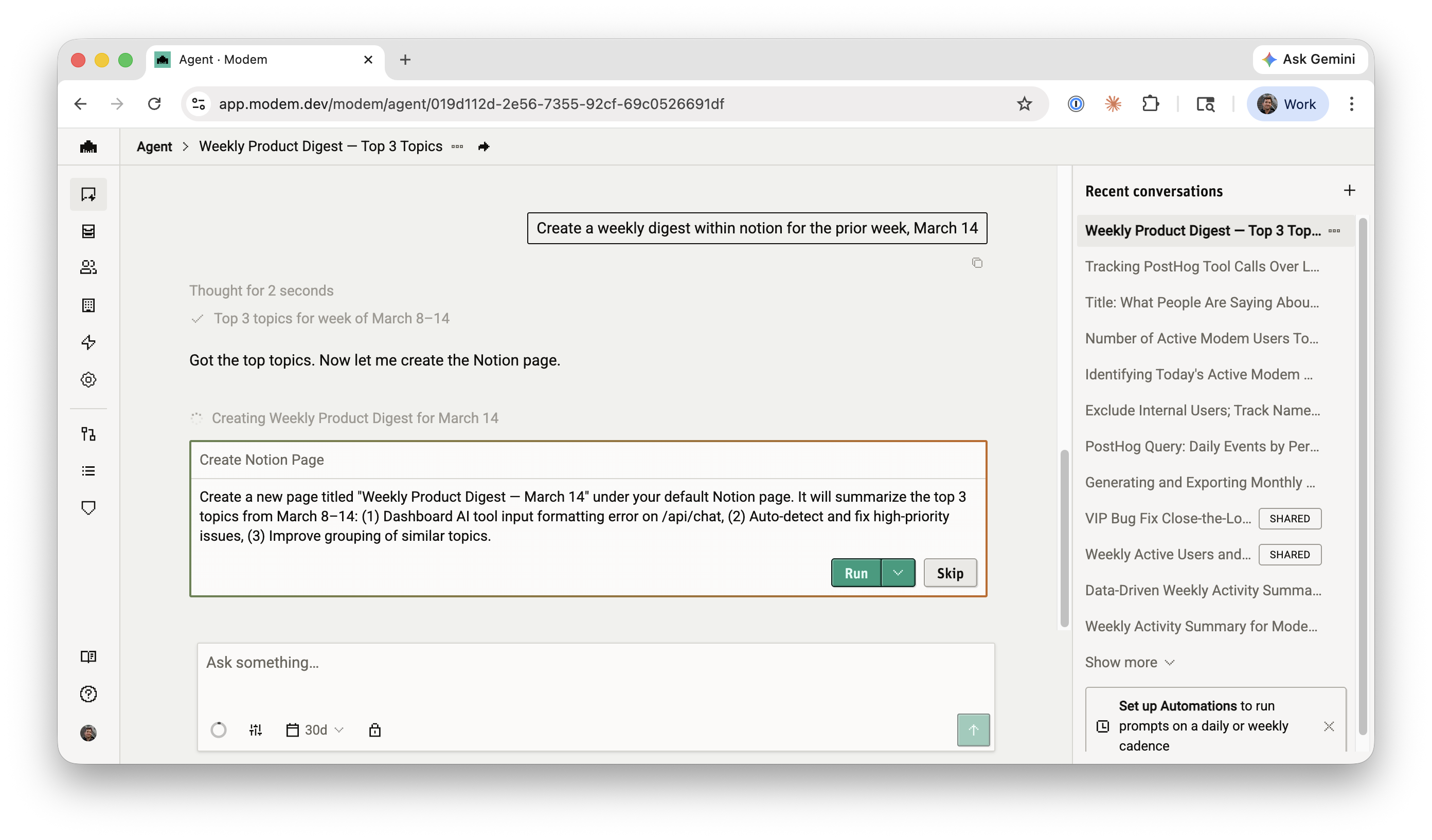
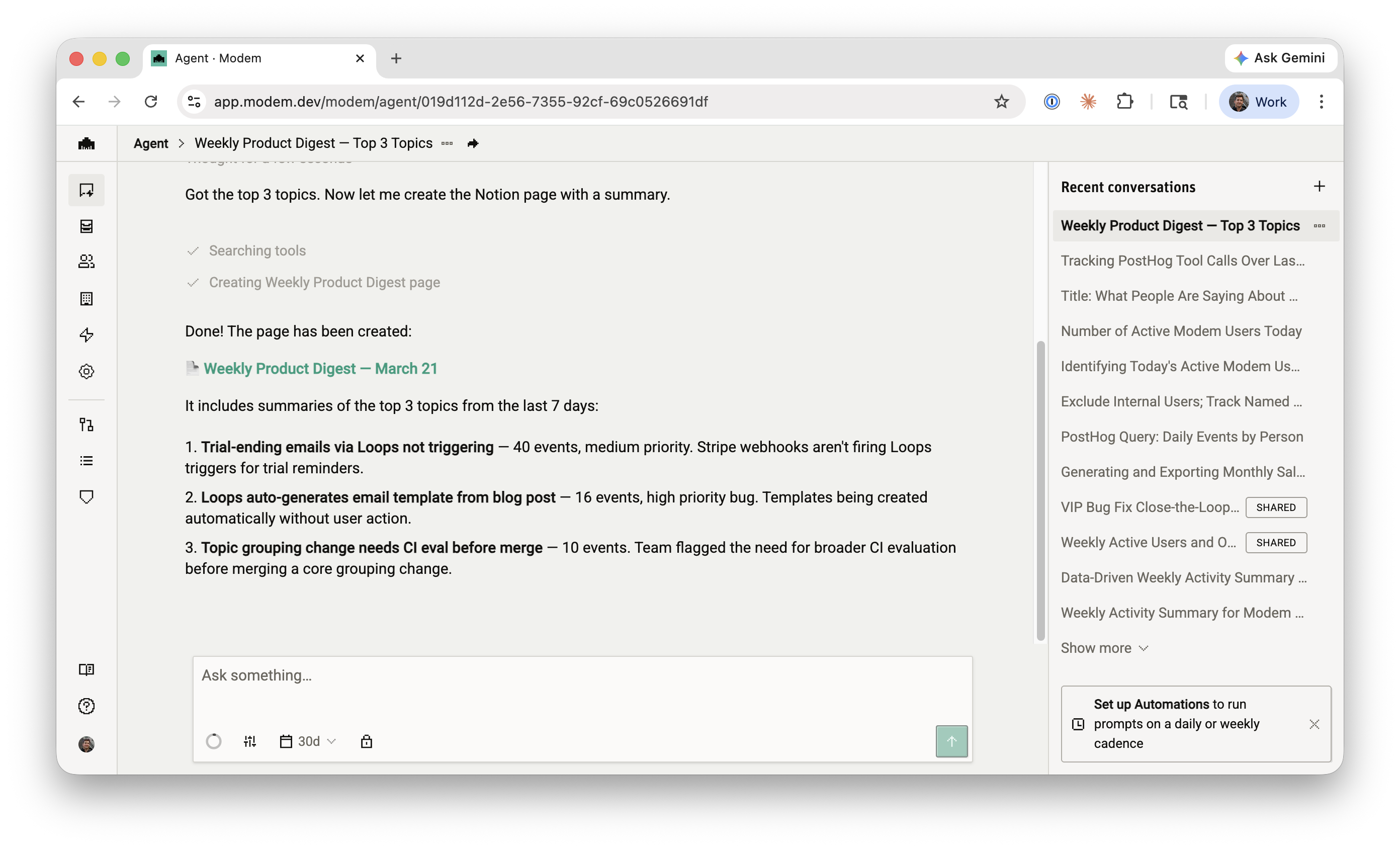
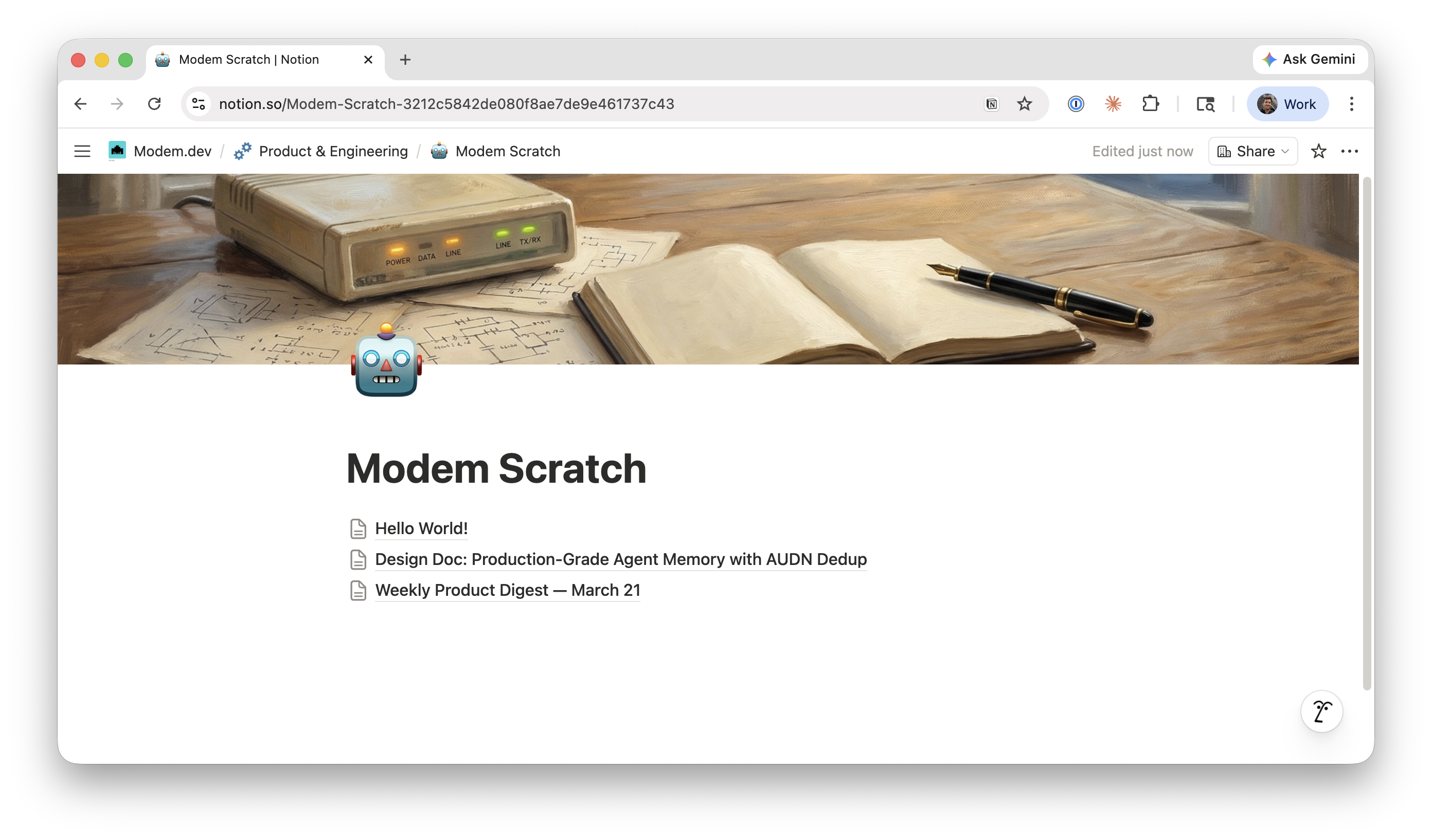
Once approved, the agent creates the page and returns a link to it.
Power workflows with Notion artifacts
Many teams use Notion as a well-organized but dusty shelf for artifacts like docs, PRDs, tables, and meeting notes. Paired with Modem, you can turn those artifacts into tools. Canonical sources, combined with skills and automations, can create agentic workflows.
Example use case: UTM organizer
A workflow we use internally helps us generate UTM parameters and keeps them consistent:
- A GTM engineer maintains a Notion page (or database) with approved UTM structures and allowed values.
- A Modem skill in Slack reads that Notion source and generates shareable links.
- Every time someone asks for UTM parameters, the agent pulls from Notion instead of inventing new ones. Then logs the full URL and UTMs in a Notion database.
- An automation also kicks in when a blog post is published so that Modem generates a Media Kit based on our Notion doc and shares it directly to Slack.
The result is cleaner analytics, fewer one-off conventions, and a single place to update when requirements change.
Store outputs from agentic workflows
Bug triage. A topic clusters around a recurring bug report. Instead of just creating a Linear ticket, ask the agent to also document the full context in your Notion issues tracker, with affected customers, related discussions, and signal strength.
Add the top bug report topic from this week to our Notion issues database with a summary, affected customers, and a link to the Linear ticket.
Customer research. You want a breakdown of what your top accounts have been asking about. The agent pulls the data from Modem topics, and you tell it where to put the results.
Create a Notion page under "Customer Research" summarizing what our enterprise customers asked about this month.
Roadmap referencing. The agent reads your existing Notion roadmap, compares it against the most-requested features in Modem, and appends what's missing.
Cross-reference our Notion roadmap with the most requested features in Modem topics. Add anything that's missing.
How to connect your Notion workspace
Setup takes a couple of minutes:
- Go to Settings > Integrations > Notion in Modem and click Connect Notion
- You'll be redirected to Notion to authorize the connection. Click Allow access
- Back in Notion, share the pages and databases you want the agent to access. Open a page, click Share, and add the Modem integration
- Optionally, set a default page in your Modem integration settings. The agent uses this as the parent when creating new pages, unless you specify otherwise
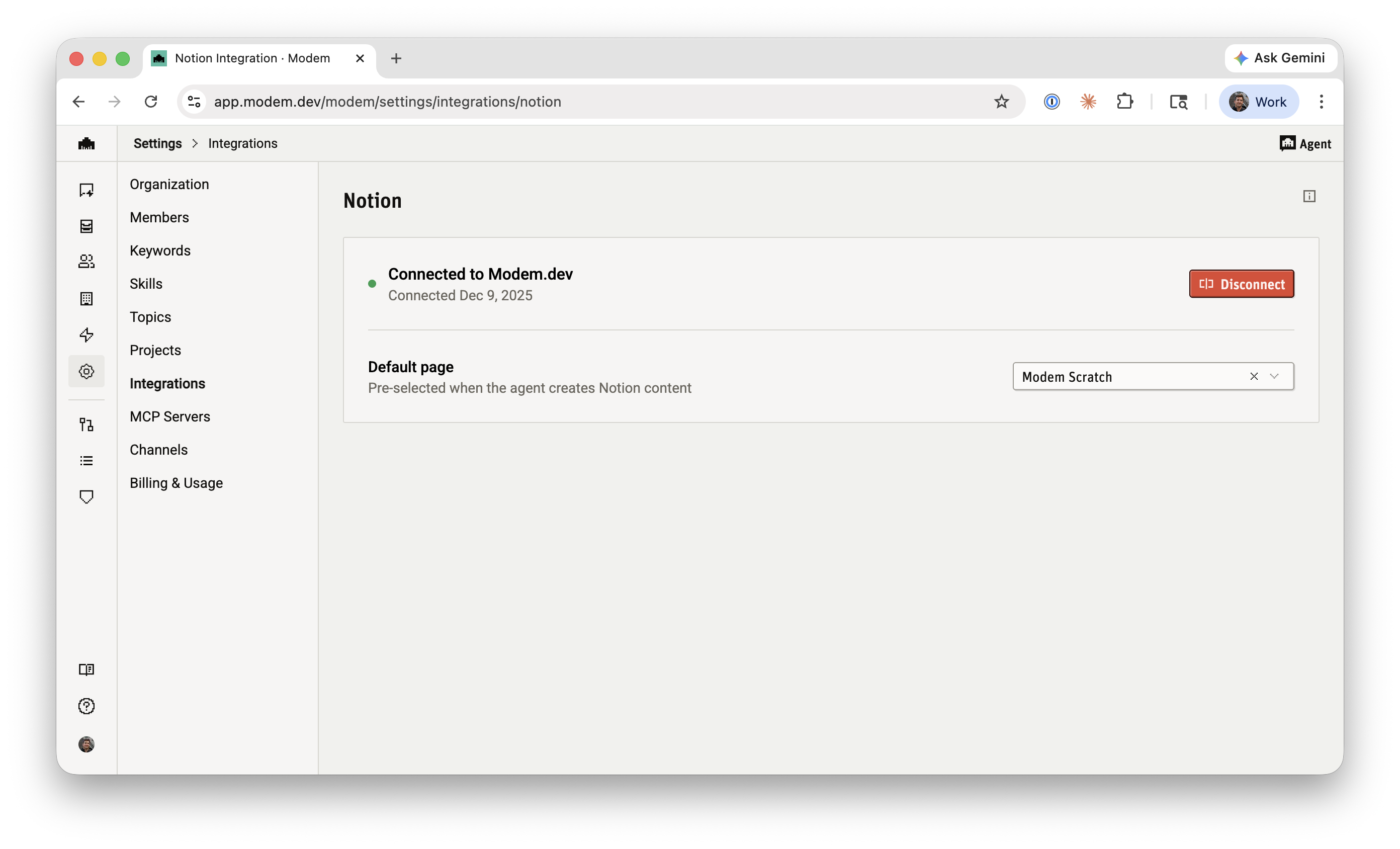
The connection uses OAuth, so there are no API keys to manage. Your access token is encrypted at rest and never exposed in agent responses. You can disconnect at any time from Settings.
Check out the Notion integration docs for the full setup guide.
