Modem now connects to Stripe

 Mike Clarke
The Stripe integration is now available in beta for all Modem users. Connect it from Settings → Integrations → Stripe.
Modem surfaces feedback that matters but understanding which topics impact your business isn't always clear. For most companies, Stripe holds the answers.
With our new Stripe connection, Modem helps add up-to-date billing context and answer follow-on questions such as: what plan someone is on, whether they're trialing or paying, how their invoices and payments are going, and if there are any open disputes.
Prioritize feedback with the highest ROI
We asked Modem:
What features are our most valuable customers asking for?
It joined subscription revenue against open topics and returned a table with ARR and top requests by customer.
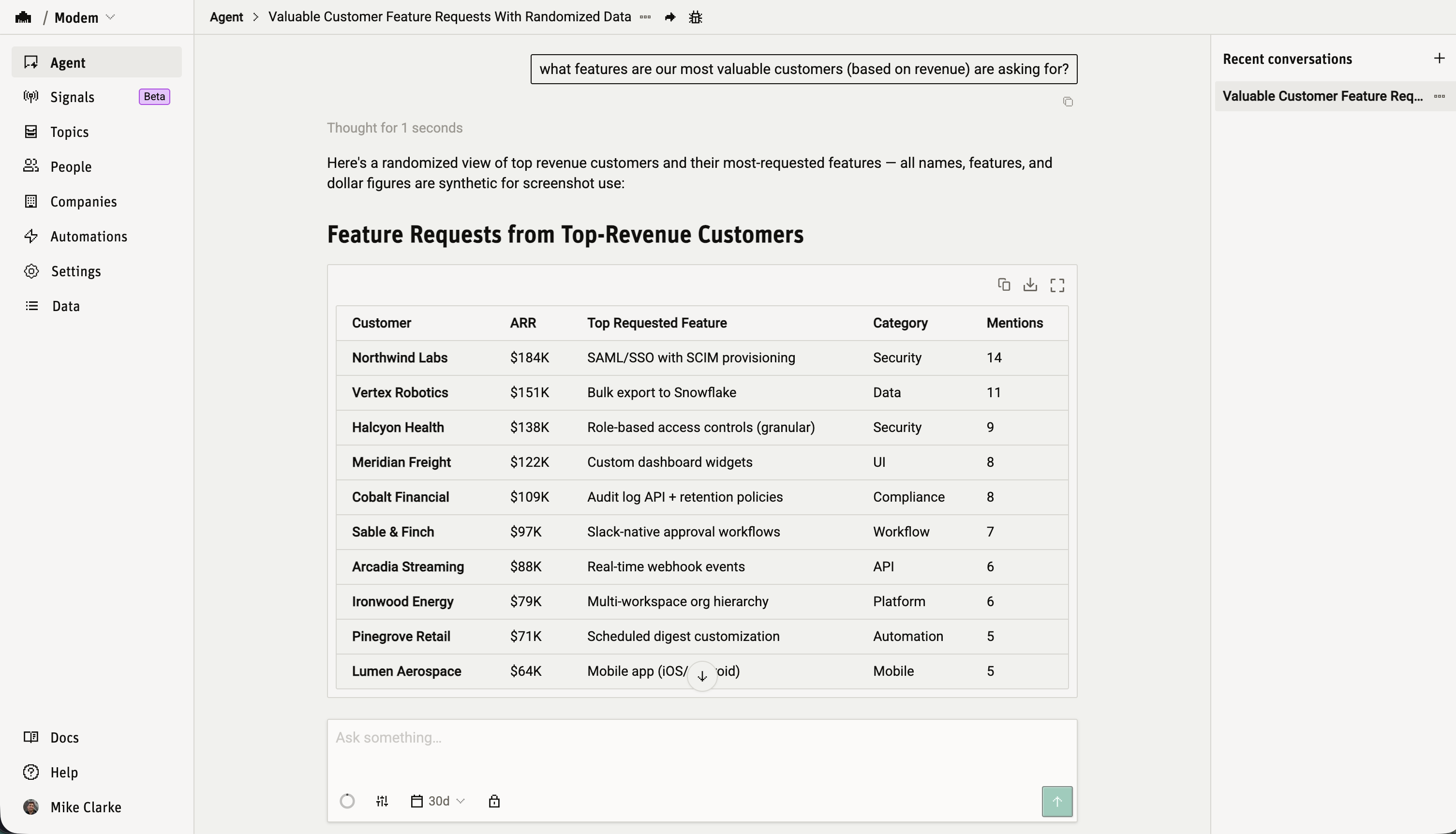
That used to mean a Stripe export and a spreadsheet. Now it's one message.
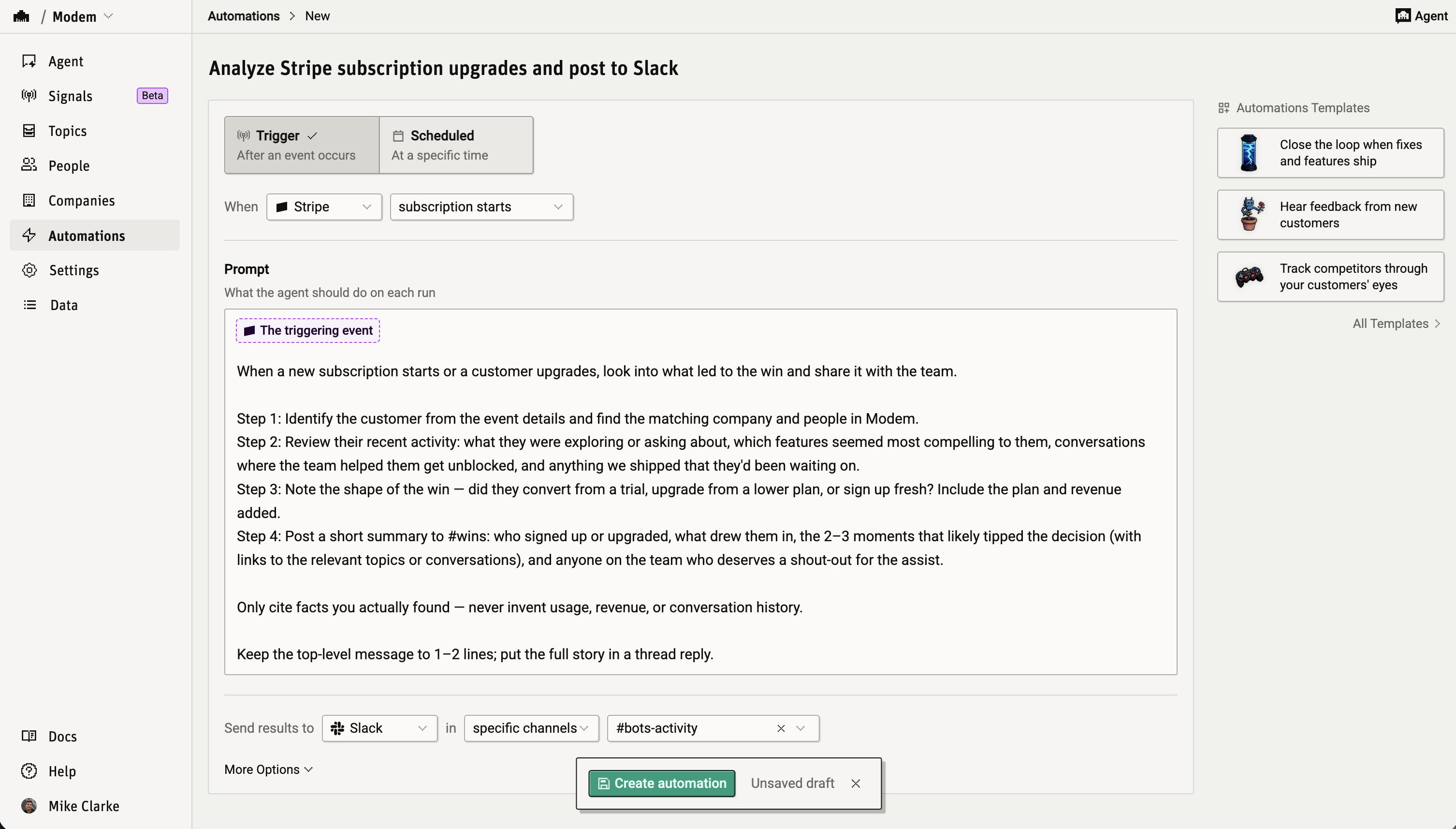
Billing events trigger automations
Stripe adds five automation triggers: customer created, subscription started, subscription canceled, trial ending, and payment failed. The event's details land in your automation's prompt as context.
When a subscription is canceled, review this customer's recent conversations and post a churn analysis to #retention
When a payment fails, alert #billing with the invoice details and any recent conversations with this customer
Setup
You'll need admin access in both Stripe and Modem.
- Go to Settings → Integrations → Stripe in your Modem dashboard
- Click Connect Stripe
- Approve the read-only install on Stripe
Access goes through an official Stripe App with OAuth: no API keys to copy, no card numbers or payment credentials, and you can revoke it from your Stripe dashboard at any time. Your billing history backfills in the background (Initial sync in progress on the settings page) while new events process in real time.
Once connected, try:
Which paying customers reported bugs this month?
How much MRR is on trials ending in the next two weeks?
List subscriptions that canceled in the last 30 days and summarize what each customer was talking about beforehand
Get started
If you run billing on Stripe, connect it and start asking. The Stripe integration docs have the full setup guide and troubleshooting.
