How to link a Jira epic to the companies that requested it, not just people
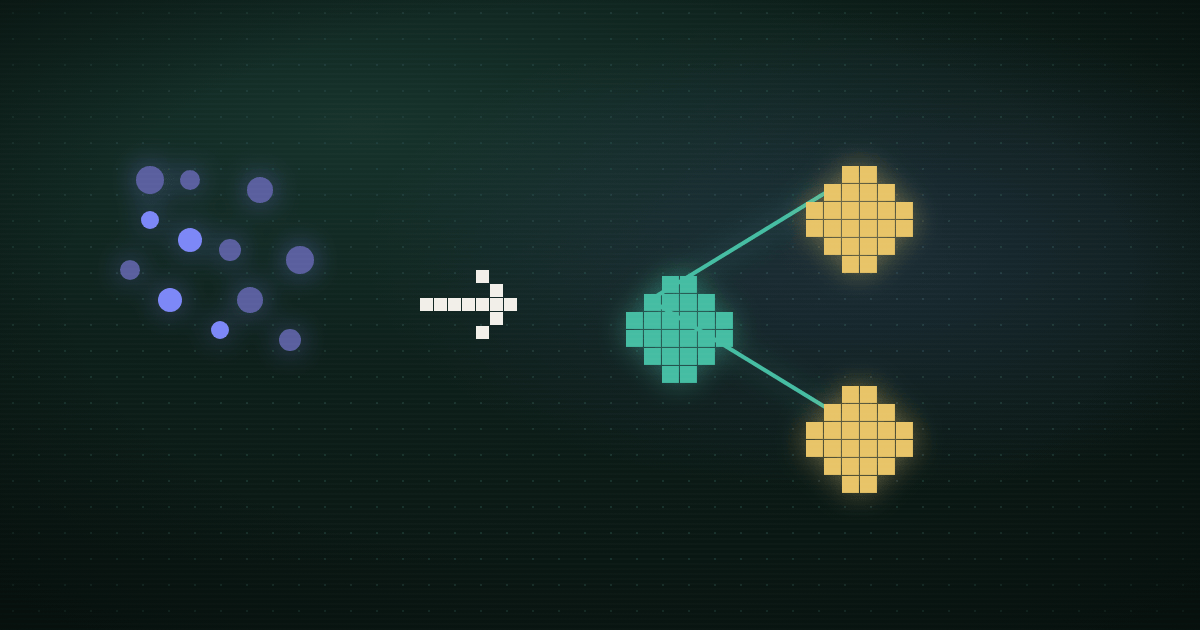
Jira's Reporter field is built to answer "who filed this," and an epic only has one of them. It does not have a field for "which companies want this," and there's no setting that turns it on. If four different customers push for the same epic over six months, Jira will show you whichever single person happened to file the original ticket, and nothing else, unless you build the company tracking yourself.
That's the honest starting point. The rest of this guide covers how to build it: a custom field on the child issues underneath the epic, a JQL query that rolls those fields up by hand, and the specific point where a growing epic makes that rollup too slow to trust in a planning meeting.
What an epic actually tracks about who wants it
An epic is a container. It has its own Reporter, usually whoever created the epic, and it has child issues, stories and bugs, linked to it through the parent field. Atlassian's own documentation confirms this is the field JQL uses to search an epic's work items, with the older Epic Link field kept around only for backward compatibility. That's a real, working query, parent = PROJ-100 finds every story under epic PROJ-100.
What it doesn't do is aggregate anything about those children back up to the epic. If each story has a custom field for "requesting account," Jira has no built-in view that sums those values and shows "4 distinct accounts" on the epic itself. You get the list of children. Turning that into a company count is a query you run and read yourself, every time you want the answer.
This is also not the problem Jira Service Management's Organizations field solves, if you've run into that feature elsewhere. Organizations groups requesters inside a single service desk project, one ticket queue at a time. An engineering epic in Jira Software isn't a service desk request, and Organizations doesn't reach into it.
Corvale's onboarding epic
Colin Baptiste runs product for Corvale, which builds dispatch and job-costing software for commercial cleaning companies. In February he opens SCH-210, "Bulk crew and route-history import for onboarding," after an implementation call with Briarwood Facility Services drags into a second hour because their office manager is retyping three years of client contracts and route logs by hand.
He files it as a single story first, listing himself as Reporter, with a description quoting the Briarwood call. A week later, a second cleaning company hits the same wall during their own onboarding, and a support engineer files a near-identical story rather than searching for Colin's. By April, three more onboarding calls surface the same request, two of them filed as comments on the original story instead of new tickets, one never filed at all because the rep who took the call didn't think to check Jira first. Colin promotes the cluster to an epic in May once the pattern is obvious in conversation, but nothing about that promotion carries the account names forward. The epic's Reporter is Colin. The five companies that actually asked live, if anywhere, in old Slack threads and half-finished ticket descriptions.
When Colin's VP asks in a roadmap review how many onboarding customers are actually blocked on this, Colin's honest answer is "at least five, let me check," followed by twenty minutes of searching call notes.
Building a rollup you can actually query
The fix is to put the account name where a query can reach it, not in prose. Two additions do this:
- A custom field on the story, not the epic. Add a short-text or single-select field,
Requesting Account, to your Story and Bug issue types. Fill it in at filing time, one value per child issue. - A label per account on issues that involve more than one. Labels are multi-value, so a story two companies both flagged in the same call can carry
acct-briarwoodandacct-turnkeyat once, which a single-select field can't hold.
With that in place, the rollup for an epic comes down to one saved filter, parent = SCH-210 (or "Epic Link" = SCH-210 on an older project), with the results grouped by the Requesting Account field, or a labels count if you're using the label convention. That filter is the honest, current answer to "how many companies asked for this," as of the last time everyone filing a ticket remembered to fill in the field.
 “we need SSO before rollout”
 “any update on single sign-on?”
 “SSO came up twice on this call”
 Linear issue, quotes attached
 insight report in Notion
Where the manual rollup stops holding up
Colin's setup works exactly as long as three things stay true, and each one degrades on its own schedule:
- Every filer fills in the field. A support engineer racing to close a call description skips it more often than a PM drafting a ticket at their desk does.
- Account names stay consistent. "Briarwood," "Briarwood Facility," and "Briarwood Facility Services" are three different label values to a JQL query, even though they're one customer to everyone in the room.
- Nobody re-parents or splits the epic. The moment
SCH-210gets split into "bulk import" and "field mapping," someone has to manually decide which account tags travel to which new epic, and the split usually happens faster than that decision gets made.
None of these breaks the system outright. They each just quietly lower the number the filter reports below the real one, and a low number reads as low demand instead of a missed field. By the time Colin's rollup says three accounts and the real count is six, nobody notices until someone happens to remember the third company by name.
What Modem adds to the same epic
This is the layer Modem is built for. Modem treats the company as the primary record, not a text field someone has to remember to fill in. It reads the calls, Slack threads, and support tickets that Corvale's team already generates, matches the different ways "bulk import for onboarding" gets phrased across five separate conversations, and rolls every one of those companies and the people at them up onto a single topic. Modem's Jira integration watches the connected projects and ties that same topic to the epic directly, so it shows something like 6 companies, 14 people asked for this, rather than a Reporter field with one name on it. As the integration page puts it, feedback lands "grouped by what people are actually asking for and tied to the people and companies who raised it."
Modem is what we build and sell, which is a real bias here. Read the comparison with that on the table, and check it against whether your own team's account tagging is already slipping, not against how the pitch sounds. Below a handful of accounts per epic, the custom field and label convention above costs nothing and works fine. Past that, matching phrasings and normalizing account names by hand is the part that breaks first, which is also the piece Modem is doing under the hood. The wider gap between where customer context lives and where Jira implementation happens is described well in the Atlassian Community's own writeup on connecting feedback to Jira, whose blunt summary is that customer insights live in Slack, sales notes, and support tickets, while the implementation lives in Jira. Some tools close a narrower version of that gap already; the same article notes that inside Savio "you can see the total ARR tied to a specific Jira ticket," which is a company-level number Jira itself has no field for.
If this is the kind of gap you want surfaced automatically rather than reconstructed from memory, two related guides go deeper on adjacent pieces of it. How to see who actually asked for a Jira epic or story covers the single-reporter drift problem in more depth, and how to track feature requests in Intercom covers the same capture problem one channel upstream, before a request ever reaches Jira.
Start this week
Add a Requesting Account field to your Story and Bug issue types, and write one line in your ticket template telling filers to fill it in before they close the tab. Then run parent = YOUR-EPIC-KEY (swap in the actual key) on your oldest open epic and see how many of the child issues actually have that field populated. Whatever fraction is empty is roughly the size of the gap between what your epic's Reporter field shows and who's actually asked for it.
